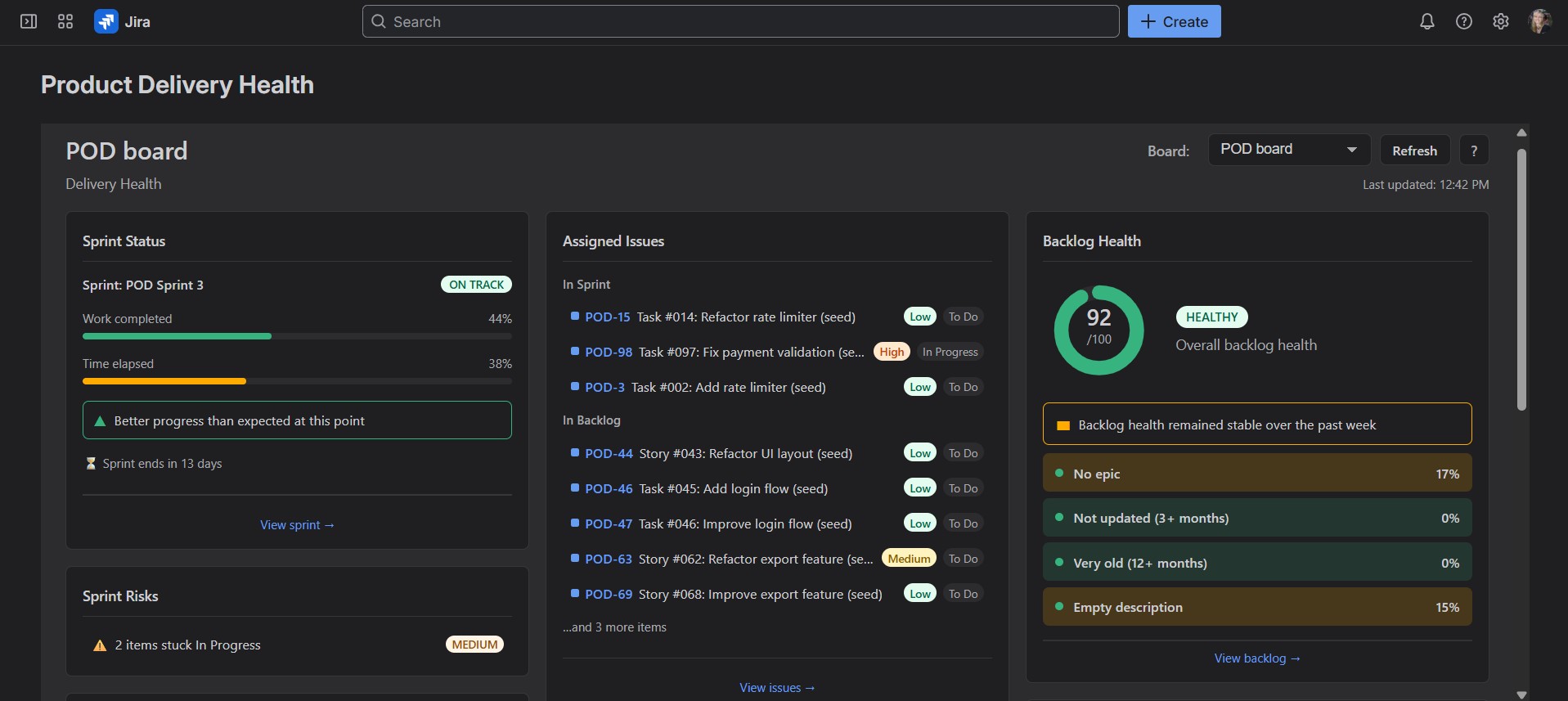
Be the most prepared person in the meeting.
See sprint progress and backlog health in one place — and jump to the issues that need attention in one click.
Built on Atlassian Forge · No external servers · No telemetry · Free up to 10 users
Your delivery health at a glance

Product Delivery Health was created by a Product Owner managing multiple products at the same time, who got tired of hunting for information across different Jira boards and backlogs.
Instead of switching between views and building quick filters, simply select the board you want to review and instantly see the delivery health of that product, along with all issues assigned to you.
Product Delivery Health doesn't just show raw data. It evaluates your sprint and backlog and highlights what actually matters.
Your early warning system for sprint and backlog health
- See sprint progress vs elapsed time instantly
- Detect potential sprint risks before they become blockers
- Know if your backlog health improved or declined since last week
- Jump directly to the issues behind any warning
- Instantly see your assigned work in sprint and backlog
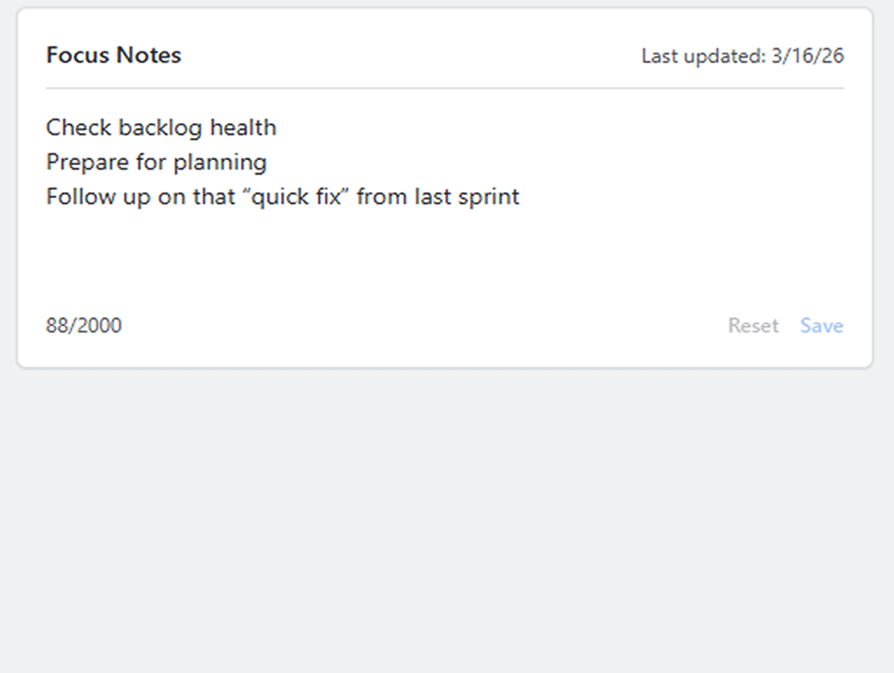
- Keep personal focus notes per board
- A lightweight roadmap for quick product planning.
No searching. No filter acrobatics.
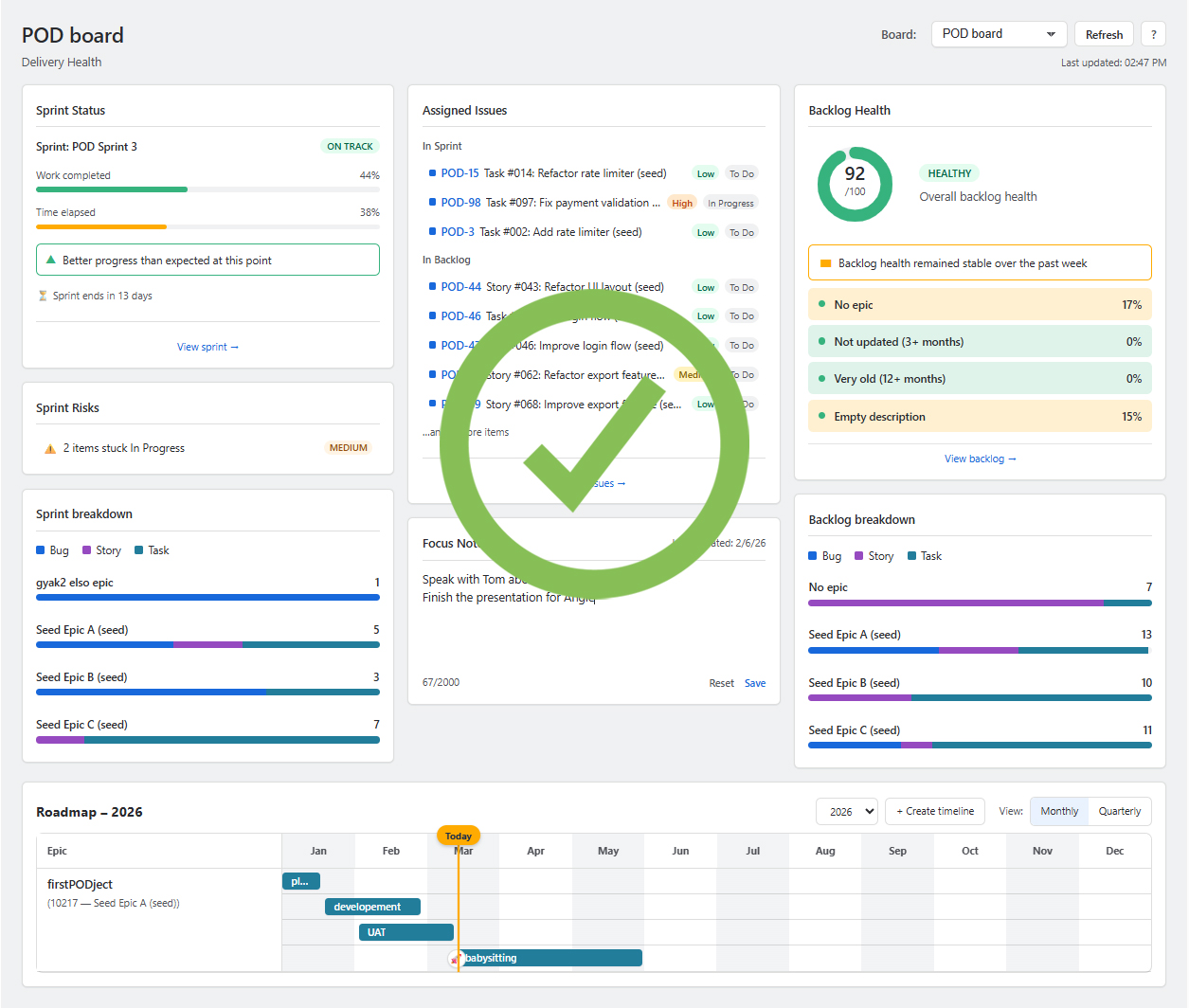
Features
Explore the features
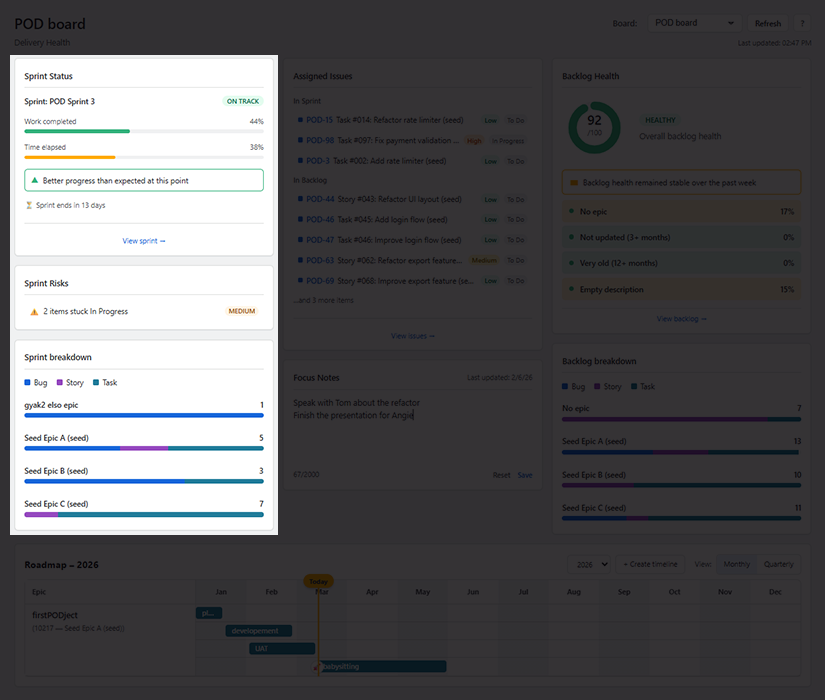
Sprint insights
Understand the state of your sprint instantly.
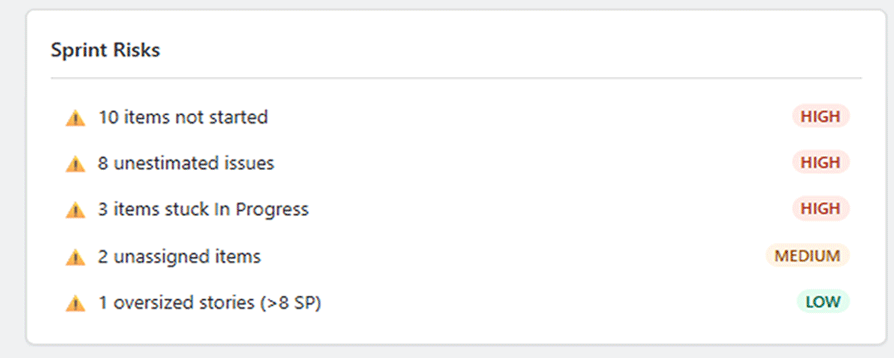
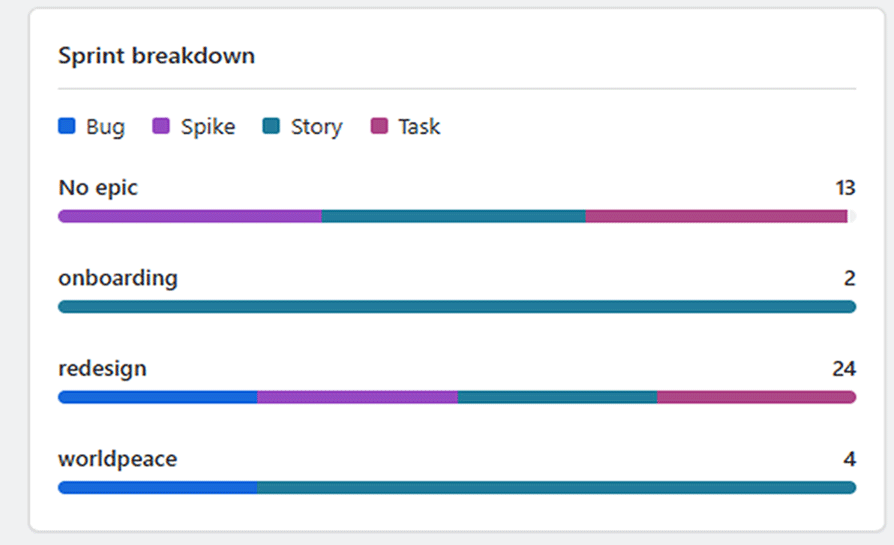
See how your sprint is progressing compared to elapsed time, detect potential risks early, and understand how work is distributed across epics and issue types.
- sprint progress vs elapsed time
- on-track / off-track status indicators
- automatic detection of sprint risks
- sprint breakdown by epic and issue type
Instead of piecing together sprint information from multiple Jira views, you immediately see how your sprint is progressing and whether something needs attention.
Potential risks are highlighted automatically, and with one click you can jump straight to the related issues and take action.
No searching.
No manual filtering.
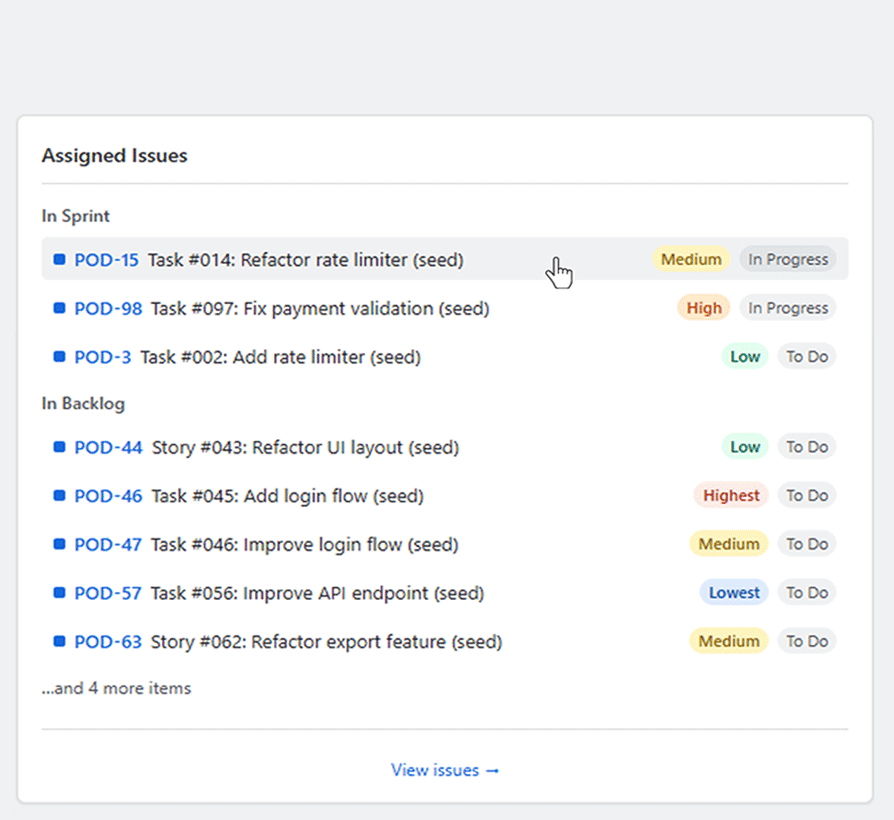
Personal focus
Everything assigned to you — in one place.
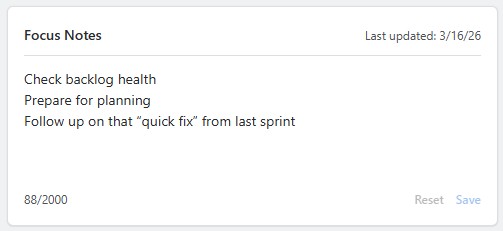
Quickly see what you're responsible for in both the sprint and the backlog, and keep private notes to track what matters most for your day.
- issues assigned to you in the sprint
- backlog issues assigned to you
- personal focus notes per board
- a clear overview of what you need to work on next
Notification emails pile up quickly — and finding where you were actually assigned can take time.
Product Delivery Health shows all issues assigned to you in one place, across both the sprint and the backlog. Add personal notes to keep track of what matters most today.
No hunting through inbox notifications.
Just a clear view of your work.

Backlog health
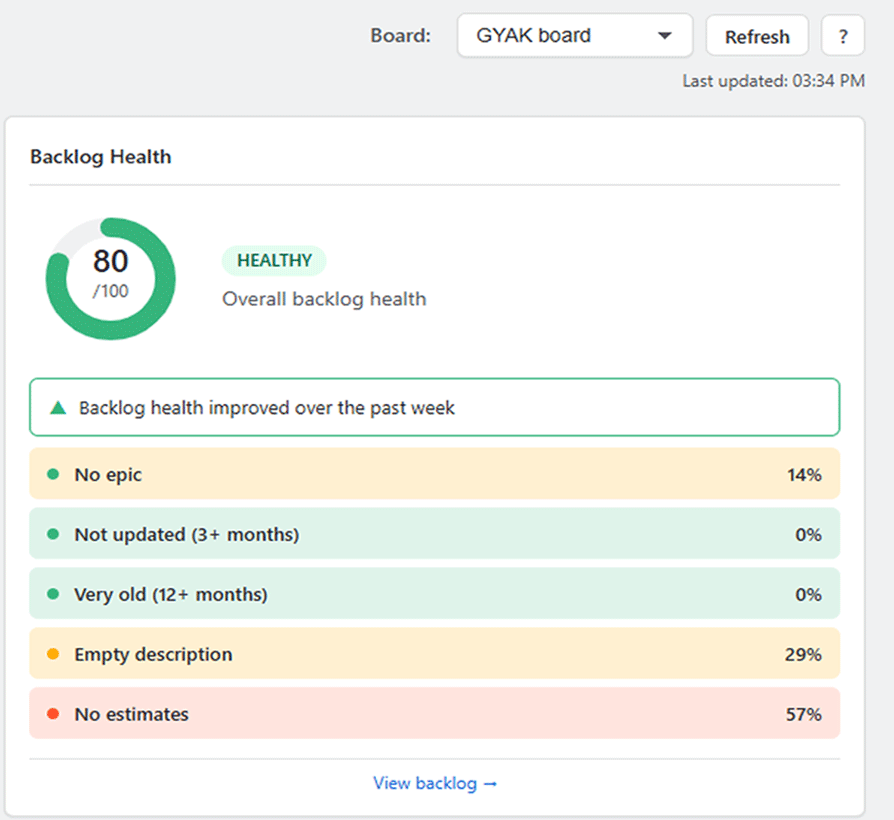
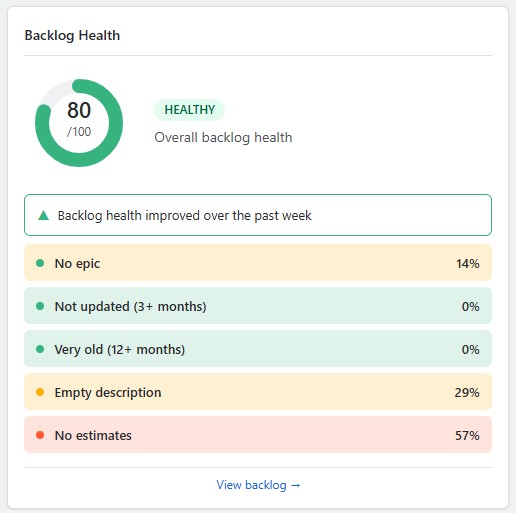
Know if your backlog is ready for the next sprint. Product Delivery Health evaluates your backlog and highlights potential problems such as missing estimates, outdated issues, or incomplete descriptions.
- backlog health score and status
- identification of issues that need attention
- comparison with previous backlog health status
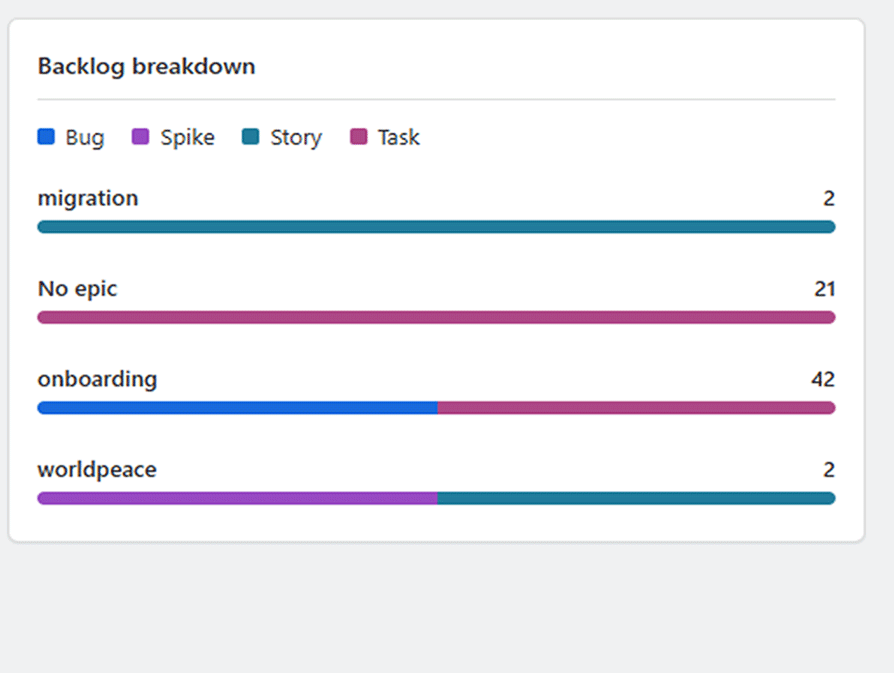
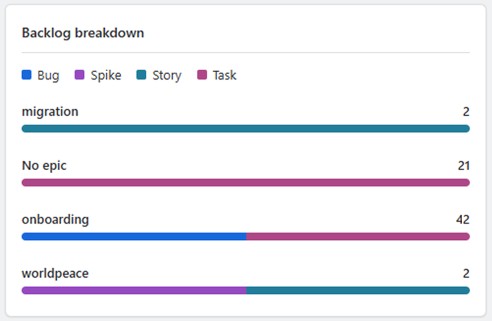
- backlog breakdown by epic and issue type
You immediately see what needs attention, how many issues are affected and their impact on your backlog. With a single click on any problem, all related issues are collected and opened in the Issue Navigator, so you can take action instantly without manual filtering.
This helps you keep your backlog clean and up to date, avoid surprises during planning, and prevent forgotten or duplicated work from piling up over time

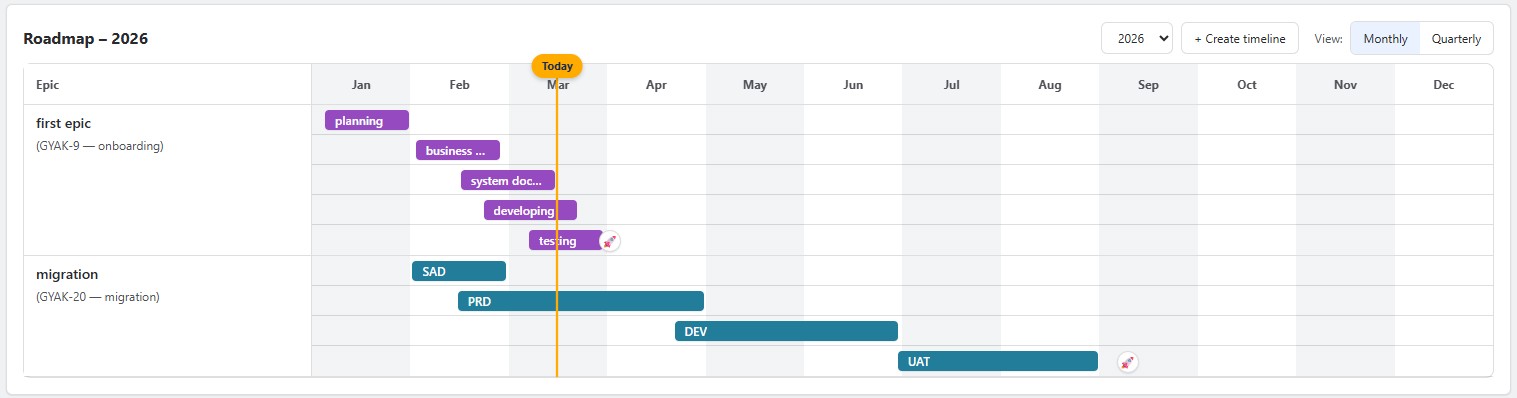
Roadmap
A lightweight roadmap for product planning.
Create a simple visual timeline of upcoming work and see how your product is expected to evolve over time.
The roadmap is intentionally simple — not a complex planning tool, but a clear visual guide to help you keep the bigger picture in mind.
- simple timeline planning
- roadmap items that can be created without epics
- optional epic linking later
- quick visual overview of product direction
A lightweight visual roadmap helps you keep the bigger picture in mind. Plan upcoming work, sketch future initiatives or simply track how your product should evolve over time. No complex planning tools — just a clear timeline that keeps your direction visible.

screenshots
Explore the features






Contact
Got feedback, ideas, or issues? We'll get back within 24h